Which AI Coding Model Should You Use? A 2026 Decision Guide
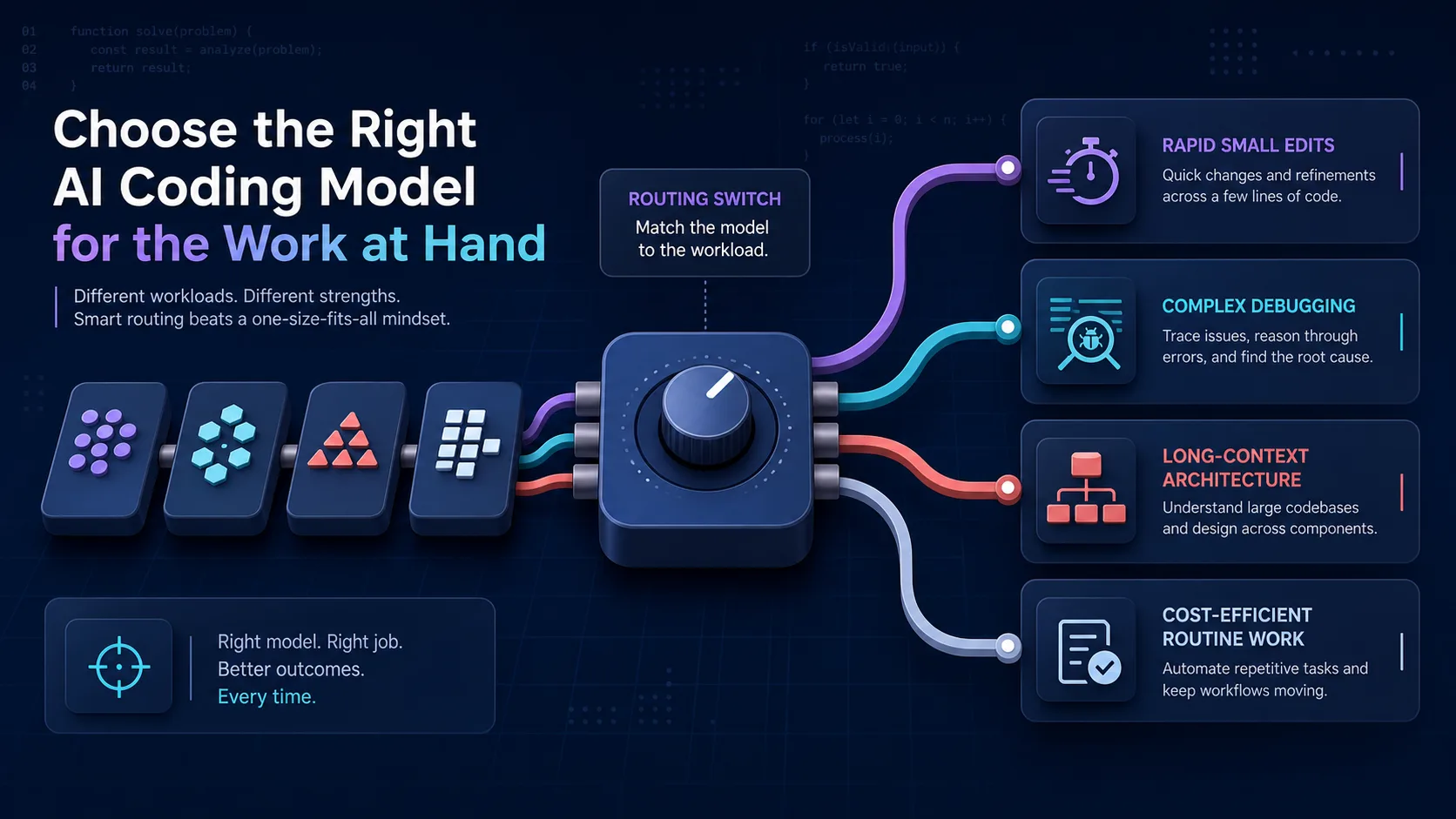
There is no single best AI coding model. The right choice depends on the job, the cost of a wrong change, the context required, and how quickly you can validate the result.
My practical rule is:
- Start with a balanced current model.
- Escalate only when the task is genuinely difficult.
- Use a cheaper, faster model for repetitive work with strong tests.
- Judge the result by the code and validation—not by how confident the response sounds.
This guide was refreshed on July 31, 2026. Model names and availability change quickly, so verify the linked provider pages and your editor’s model picker before standardizing a workflow.
Quick selection table
| Workload | Start with | Escalate when |
|---|---|---|
| Small, well-specified edits | A cost-efficient current model | The change crosses several contracts or repeatedly fails focused tests |
| Routine implementation | A balanced model with tool use | It misunderstands the repository, produces a broad diff, or cannot close validation |
| Difficult debugging | A flagship reasoning or coding model | Use a second independent model only when the first theory stalls |
| Architecture and large migrations | A high-capability model with enough context | Split the work if the model cannot maintain a verifiable plan |
| High-volume mechanical work | The least expensive model that passes the same checks | Move up only when failure and review costs exceed inference savings |
| UI implementation | A strong coding model plus screenshot review | Do not select from prose quality alone; compare the rendered result |
The important phrase is start with. These are routing decisions, not permanent rankings.
Current model families to evaluate
The table below summarizes how each provider currently positions its own models. It is not an independent cross-provider benchmark.
| Provider | High-capability starting point | Balanced starting point | Cost-sensitive starting point |
|---|---|---|---|
| OpenAI | gpt-5.6-sol for complex reasoning and coding | gpt-5.6-terra for capability/cost balance | gpt-5.6-luna for cost-sensitive volume |
| Anthropic | claude-opus-4-8 for complex agentic coding; claude-fable-5 for the provider’s highest broadly available capability | claude-sonnet-5 for speed and intelligence | claude-haiku-4-5 for the fastest current Claude tier |
gemini-3.1-pro-preview for advanced problem solving and agentic coding, with preview-lifecycle risk | gemini-3.5-flash for sustained agentic and coding work or gemini-3.6-flash for speed/intelligence balance | gemini-3.5-flash-lite for high-throughput execution |
These descriptions come from the providers’ current documentation:
Your tool may expose only a subset. Cursor’s documentation says it supports frontier models from several providers, but the live model picker—not an old blog post—is the authoritative list for your account.
How I route coding work
Use a balanced model for the default lane
Most work is not a frontier-model problem. A balanced model is usually enough when:
- the issue has a clear definition of done;
- the relevant files fit comfortably in context;
- focused tests already exist;
- the change can be reviewed as a small diff;
- failure is cheap and reversible.
This is the lane for ordinary features, narrow refactors, tests, documentation tied to code, and predictable maintenance.
Use a flagship model when reasoning failure is expensive
Move up when the work includes several interacting constraints:
- a difficult production bug with competing hypotheses;
- a security-sensitive change;
- an unfamiliar large codebase;
- a migration with rollback requirements;
- a long-running agent task that must gather evidence and validate its own changes;
- architecture where a plausible but wrong answer would create expensive rework.
A stronger model does not remove the need for tests, traces, review, or rollback. It only changes the probability that the first implementation is useful.
Use a cost-efficient model when the harness is strong
Smaller models work best when the environment makes mistakes obvious:
- formatting and mechanical transformations;
- repetitive test generation from an established pattern;
- isolated code with deterministic unit tests;
- classification or extraction with a strict schema;
- high-volume work where failed cases are automatically rejected.
The economic unit is not price per token. It is cost per accepted change:
accepted-change cost =
  model cost
  + failed-attempt cost
  + review time
  + regression risk
A cheap model that creates three rejected diffs is not cheaper.
A reproducible model evaluation
Do not evaluate models with different prompts on different tasks. Use the same small set of representative fixtures.
Choose three real fixtures
Pick work your team actually performs:
- a narrow bug with a failing test;
- a small feature with clear acceptance criteria;
- a repository-level task requiring several files and a final validation command.
Remove secrets and customer data. Freeze the starting commit.
Give every model the same contract
Record:
- exact model ID and provider;
- date and tool;
- prompt and attached context;
- reasoning or effort setting;
- allowed tools;
- time and measured usage;
- final diff;
- tests and review result.
Score outcomes, not style
Use a simple table:
| Criterion | Measurement |
|---|---|
| Correctness | Required tests and acceptance checks passed |
| Scope control | No unrelated files or behavior changed |
| Review burden | Minutes and corrections required |
| Reliability | Passing runs divided by total runs |
| Latency | Time to a validated candidate |
| Cost | Provider charge for all attempts |
Run each fixture more than once. Model output is variable, and one impressive run is not a reliable workflow.
Cursor-specific guidance
Cursor offers an Auto option that selects a model based on the task and current reliability. That is a reasonable baseline when you do not need a pinned model for evaluation.
Use a pinned model when:
- reproducing a result;
- comparing cost or latency;
- debugging a model-specific failure;
- documenting a team workflow;
- validating a migration between model generations.
Use Max Mode only when the task needs the provider’s larger context window. Feeding more context is not automatically better; irrelevant files can make review and reasoning worse.
See Cursor’s model documentation for the current account-facing behavior.
Model choice and context quality are separate decisions. Use context engineering to reduce irrelevant input and cost, and keep persistent repository guidance in versioned Cursor Project Rules. The curated AI engineering hub collects the related guides.
What changed since the original guide
The original 2025 version recommended Gemini 2.5 Pro, Claude 4 Sonnet, o3, and GPT-4.1 as a fixed personal lineup. That snapshot is no longer a useful current recommendation.
The durable lesson remains: route work by task. The names above will age too, which is why the evaluation method matters more than the ranking.
Final recommendation
For a new workflow:
- Select one balanced model from the providers available in your tool.
- Run it against three representative fixtures.
- Add one flagship and one cost-sensitive candidate.
- Keep the least expensive option that meets the same acceptance bar.
- Re-run the fixtures when a provider changes the model or pricing.
If you cannot reproduce why a model won, you do not have a model strategy—you have a preference.
Evidence and limitations
- Provider model descriptions and availability were checked on July 31, 2026.
- This article does not claim an independent benchmark across every listed model.
- Prices are intentionally omitted from the comparison because they change and differ across APIs, subscriptions, caching, and editor plans.
- Preview models can change or be retired faster than stable models.
- Results depend on the repository, prompt, tool permissions, context selection, and validation harness.